

App Store Connect
Let Bloxks publish your app to the App Store for you.
Official App Store Connect docsWhat is App Store Connect?
App Store Connect is Apple’s control room: it is where apps get submitted, reviewed and published on the App Store. Connect it once and Bloxks can publish your app for you, from build to submission.
What it unlocks in Bloxks
- One-click publishing: Bloxks compiles your app, uploads it to Apple and submits it for review, end to end.
- Complete App Store listing: name, subtitle, description, keywords, screenshots, privacy details. Bloxks prepares everything.
- Updates: every time you improve your app, ship a new version without leaving Bloxks.
- Status tracking: follow the review and release progress directly from your project.
What you need first
An Apple Developer account (99 USD per year). It is Apple’s mandatory pass to publish on the App Store, whatever tool you use. The whole journey, from signing up to tax forms: Set up your Apple account.
Connect App Store Connect to Bloxks
Open App Store Connect, then Users and Access, then Integrations.
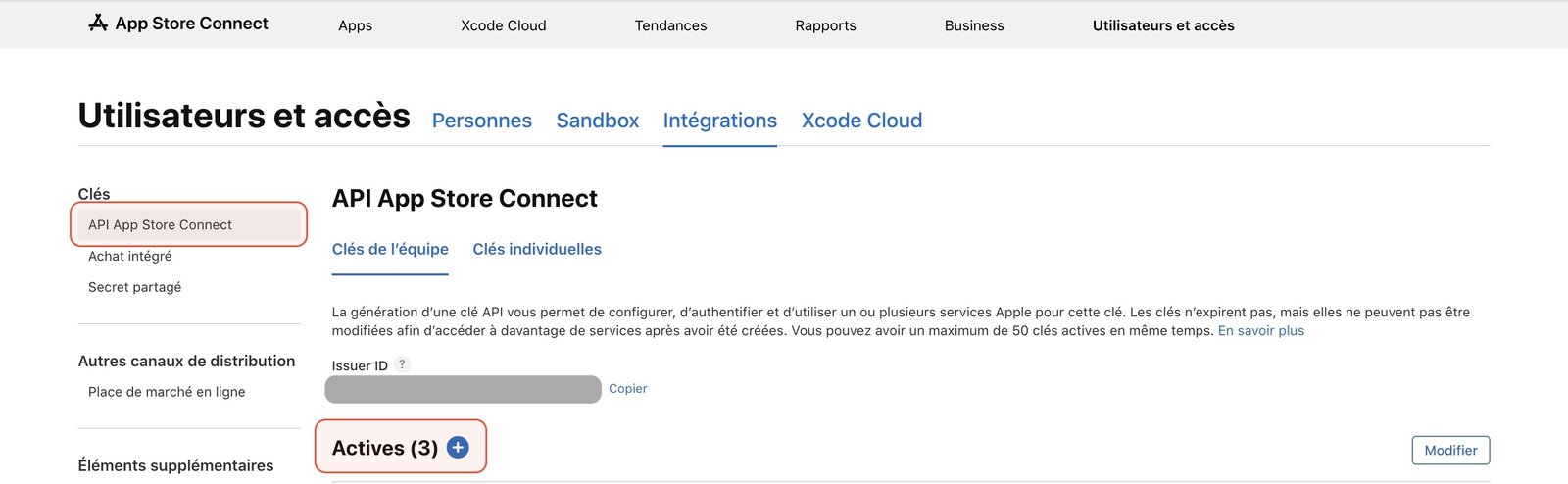
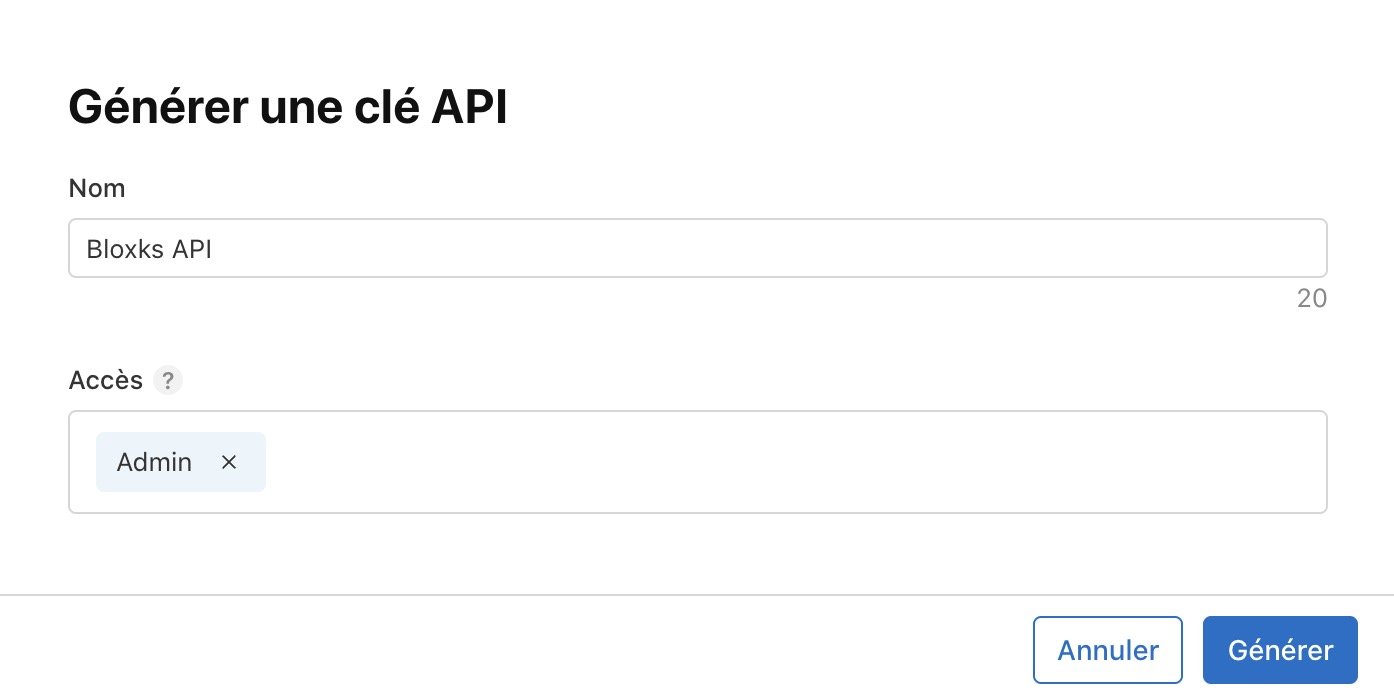
Create an API key with the Admin role. Apple refuses to create your app’s distribution certificate with any other role. Step by step: Apple key with Admin access.
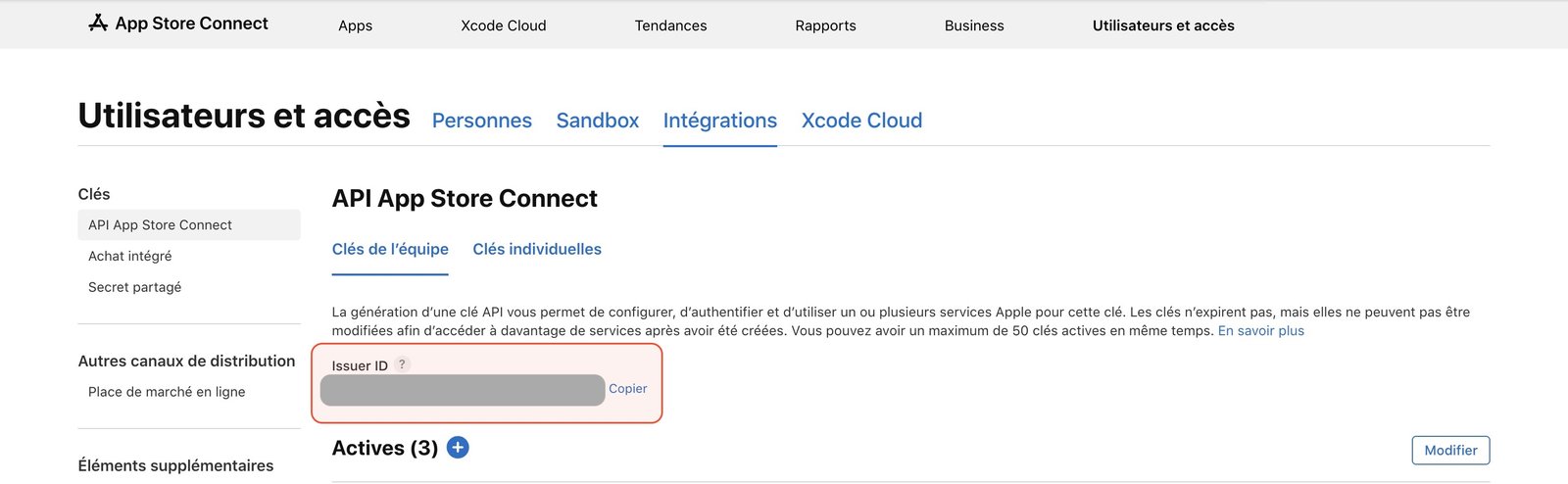
Copy the Issuer ID and the Key ID shown on the page.
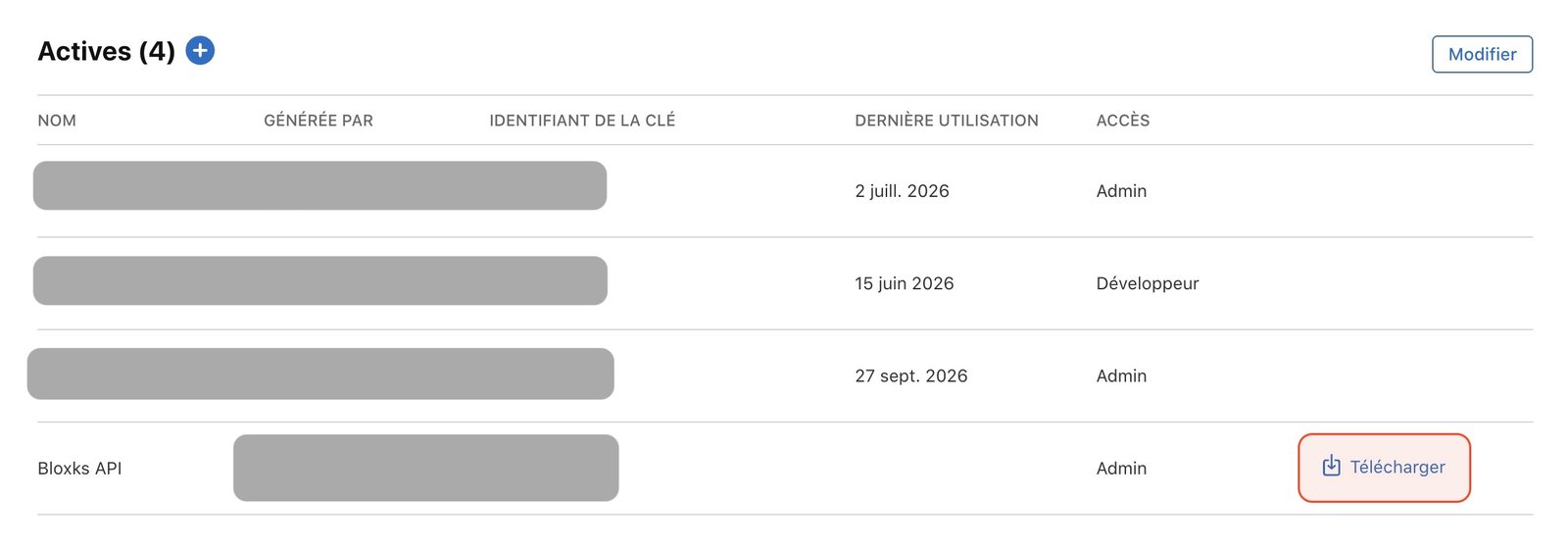
Download the .p8 file. Careful: Apple lets you download it only once.
In Bloxks, open Connections, pick App Store Connect, click Add connection and fill in the three values plus a contact phone number (required by Apple for review).
Good to know
- Your .p8 key is encrypted on our servers and only used to talk to Apple for you. It is never shown again.
- Connect once, publish every app: the same credentials work for all your Bloxks projects.
- Apple’s review usually takes 24 to 48 hours.
- Selling subscriptions? This Admin key is for publishing only. RevenueCat needs a second key dedicated to purchases (Apple in-app purchase key), and Apple requires the Paid Apps agreement to be active. The full checklist: Paywall and subscriptions.
Want to go deeper? Read the official App Store Connect API docs.
Go further
The pages of this documentation that use App Store Connect.
Set up your Apple account
Membership, paid apps agreement, bank, tax and the smaller commission: everything Apple asks before your first publication.
Publish to the App Store
Bloxks prepares your listing, generates the screenshots and submits your app to Apple.
Test on TestFlight
Send a build to your iPhone without going through App Store review.
Apple key with Admin access
Fix “Only Team Admins can create Distribution certificates” in 5 minutes: create an App Store Connect key with Admin access.
Apple in-app purchase key
The one purchase setting Apple keeps for you: generate the key and give it to RevenueCat, so every purchase is recorded.
Send your first subscription for review
Apple reviews your first subscription together with your app. Here is the 2-minute step on App Store Connect: Bloxks does the rest.
Frequently asked questions
No. Bloxks builds your app in the cloud and sends it to Apple for you.
An individual account sells under your own legal name, visible on the App Store; a company account needs a free D-U-N-S number, which can take up to two weeks. See Set up your Apple account.
99 USD a year, paid to Apple, whatever tool you use. It goes to Apple directly, not to Bloxks. Apple then takes a commission on sales: 30%, or 15% with the Small Business Program.
Your key does not have the right access level. Create a new one with Admin access: Apple key with Admin access.
Usually 24 to 48 hours. If it is rejected, Bloxks explains the reason and what to change.