
Web preview
Share a link so people can try your app in their browser, privately or publicly, with nothing to install.
What it is
Your app, playable in a browser, at a link you control. Send it to a friend, a client or a co-founder: they open it on their phone or computer, tap around, and see exactly what you see in the builder. Nothing to download, no App Store yet.
On a phone or tablet the app fills the screen. On a computer it shows inside an iPhone frame, at real size.
Publish a version
Open your project, click your avatar in the top right, then Web preview:
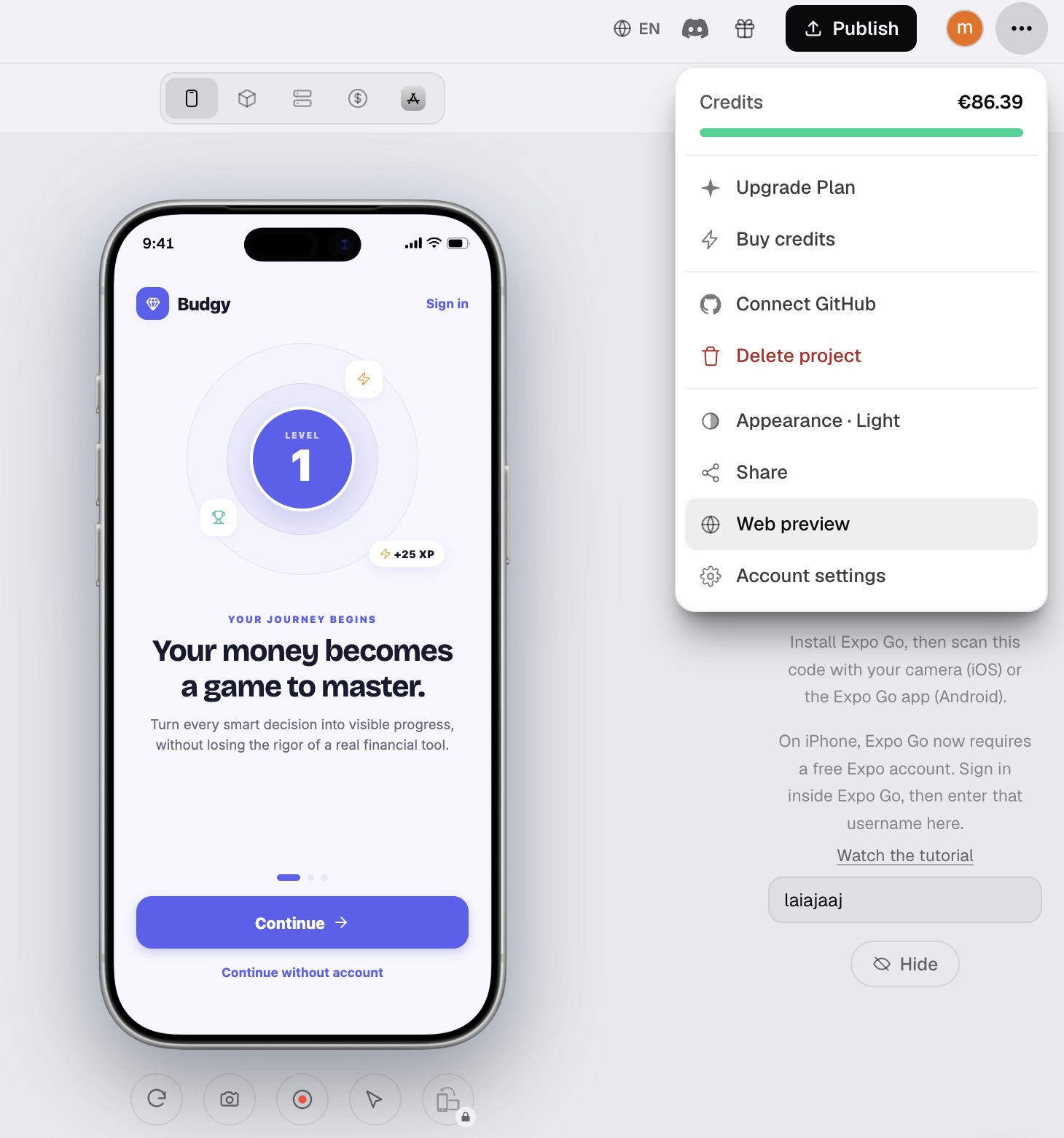
Click Publish preview. Bloxks takes a snapshot of your app as it is right now.
That snapshot is frozen on purpose: you can keep building, break things, try ideas, and the shared link never changes until you click Republish. People always see a version you chose to show.
Private or public
A freshly published preview is private: nobody can open it until you invite them.
- Invite by email. Type an address and Bloxks sends an invitation. To open the app, the person signs in to Bloxks with that same address. Forwarding the link to someone else does nothing: access follows the email, not the link.
- Public. Anyone with the link can open the app. Switching back to private permanently deletes the public link. Your email invitations keep working.
Someone without access who opens a private link sees a small window explaining the project is private, with a Request access button. Their request shows up in your invitees list; approve it and they’re in.
What doesn’t work in a browser
A web preview runs on the web, not on a phone. Everything that needs the real device is switched off, and the app says so when you tap it instead of pretending:
- Payments and subscriptions. RevenueCat and in-app purchases don’t exist in a browser. Your paywall shows up and looks right, but nothing can be bought, in test mode or otherwise. To take real payments, publish your app.
- Face ID, contacts, calendar, App Store review prompts. Device only.
- Push notifications. Not delivered in a browser.
Everything else works: accounts and data with Supabase, AI features, navigation, forms, animations, games.
Good to know
- Web preview is part of the paid plans, like code export and GitHub.
- Shared pages are never indexed by search engines.
- Each preview shows how many times it was opened, so you know your link is being looked at.
- Unpublish removes everything: the page, every invitation, and the stored snapshot. Your project itself is untouched.