
Send your first subscription for review
Apple reviews your first subscription together with your app. When Bloxks cannot attach it for you, here is the 2-minute step on App Store Connect.
Apple requires your first subscription to be reviewed together with a version of your app. If the app goes to review alone, Apple rejects it because the subscription cannot be found.
When you publish, Bloxks tries to attach your subscriptions to the submission for you. If Apple does not allow it (this happens on some accounts), Bloxks uploads your app without sending it to review, and shows you this guide: there is one step left for you on App Store Connect. It is only needed once: your next updates go out on their own.
Before you start
- Your app is already uploaded by Bloxks: nothing to rebuild.
- Your subscriptions are created by Bloxks. In App Store Connect they show Prepare for Submission: that is normal.
- You need the Account Holder, Admin or App Manager role.
Step 1: add each subscription to a draft submission
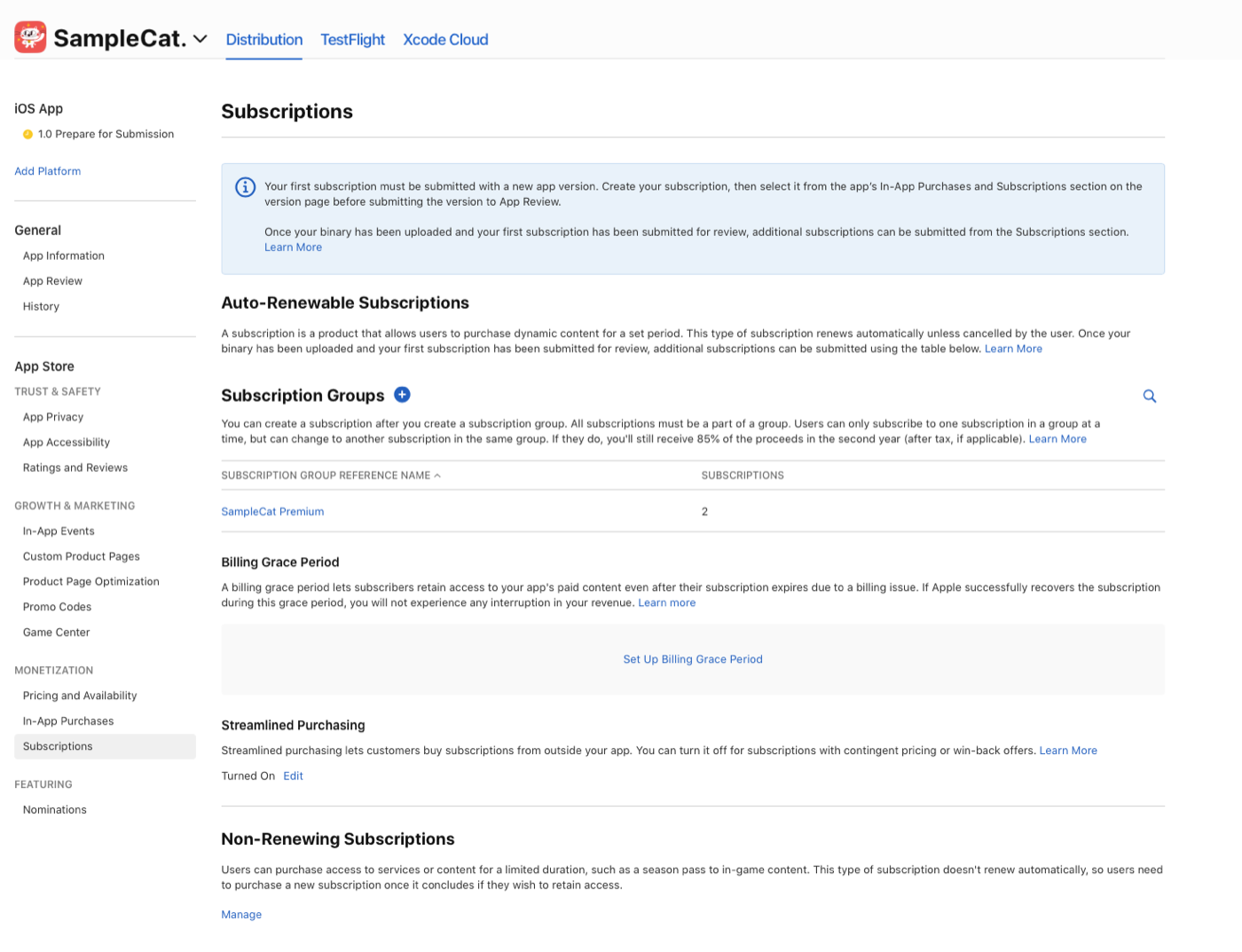
- Open App Store Connect, then your app, then Monetization → Subscriptions.
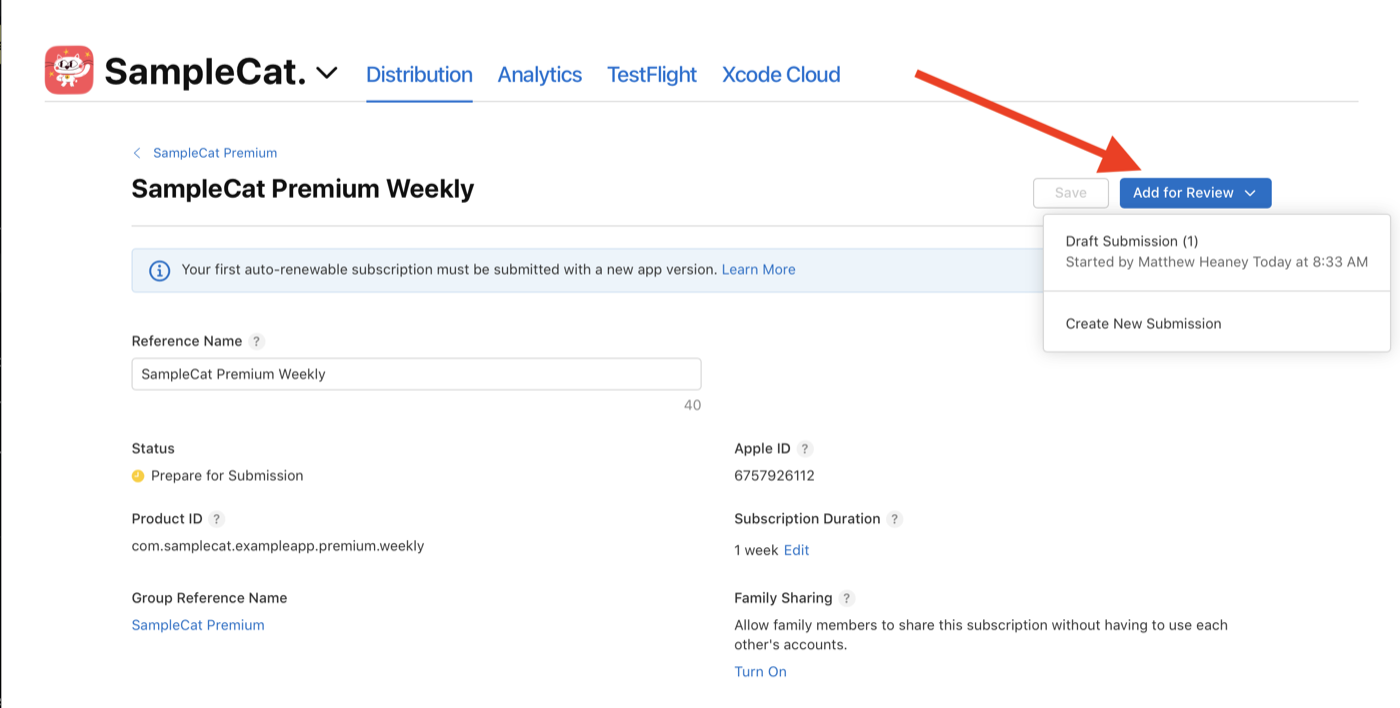
- Open your subscription, click Add for Review, then Create New Submission (or Draft Submission if one already exists).
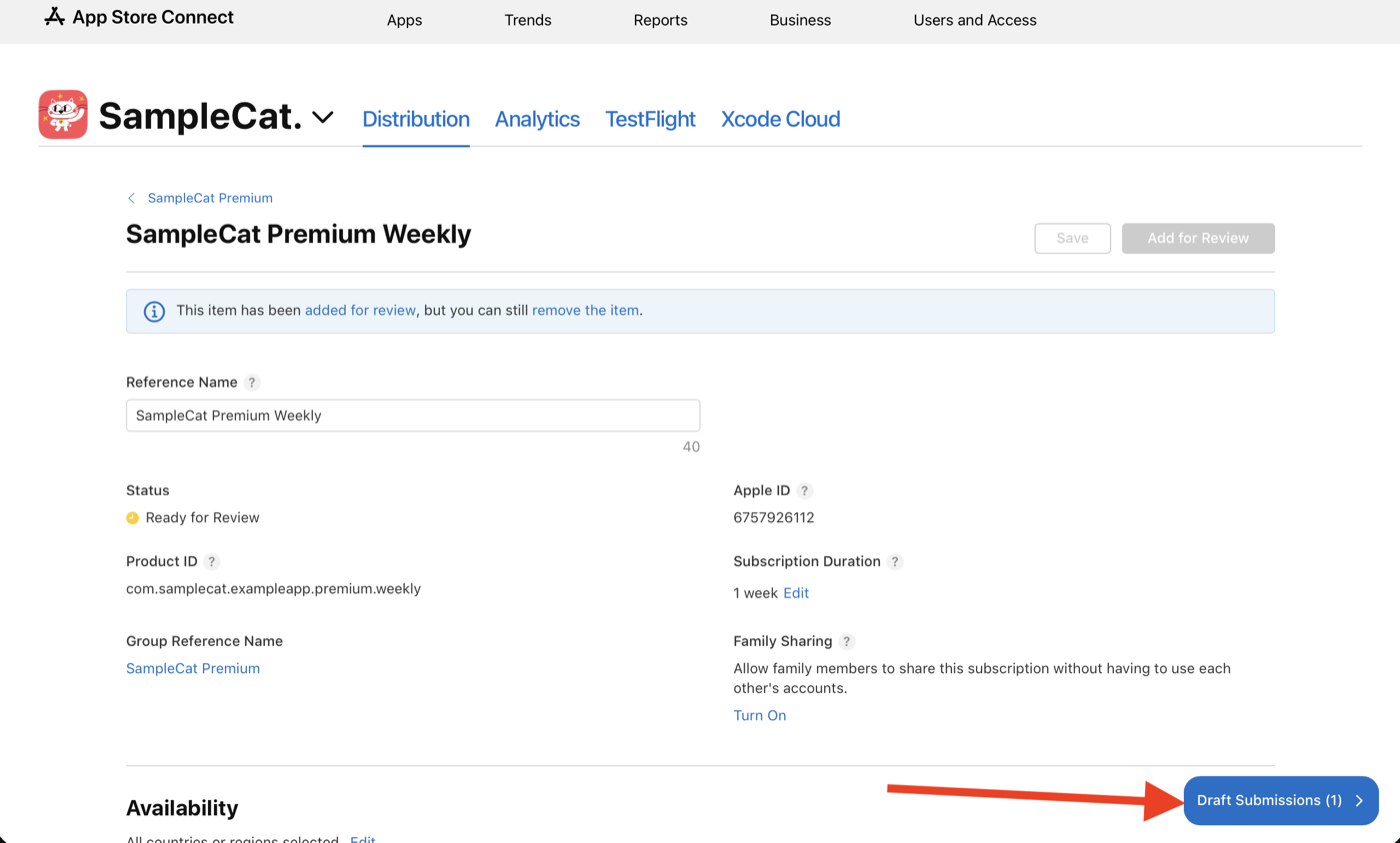
- The subscription moves to Ready for Review. Repeat for every subscription of your paywall.
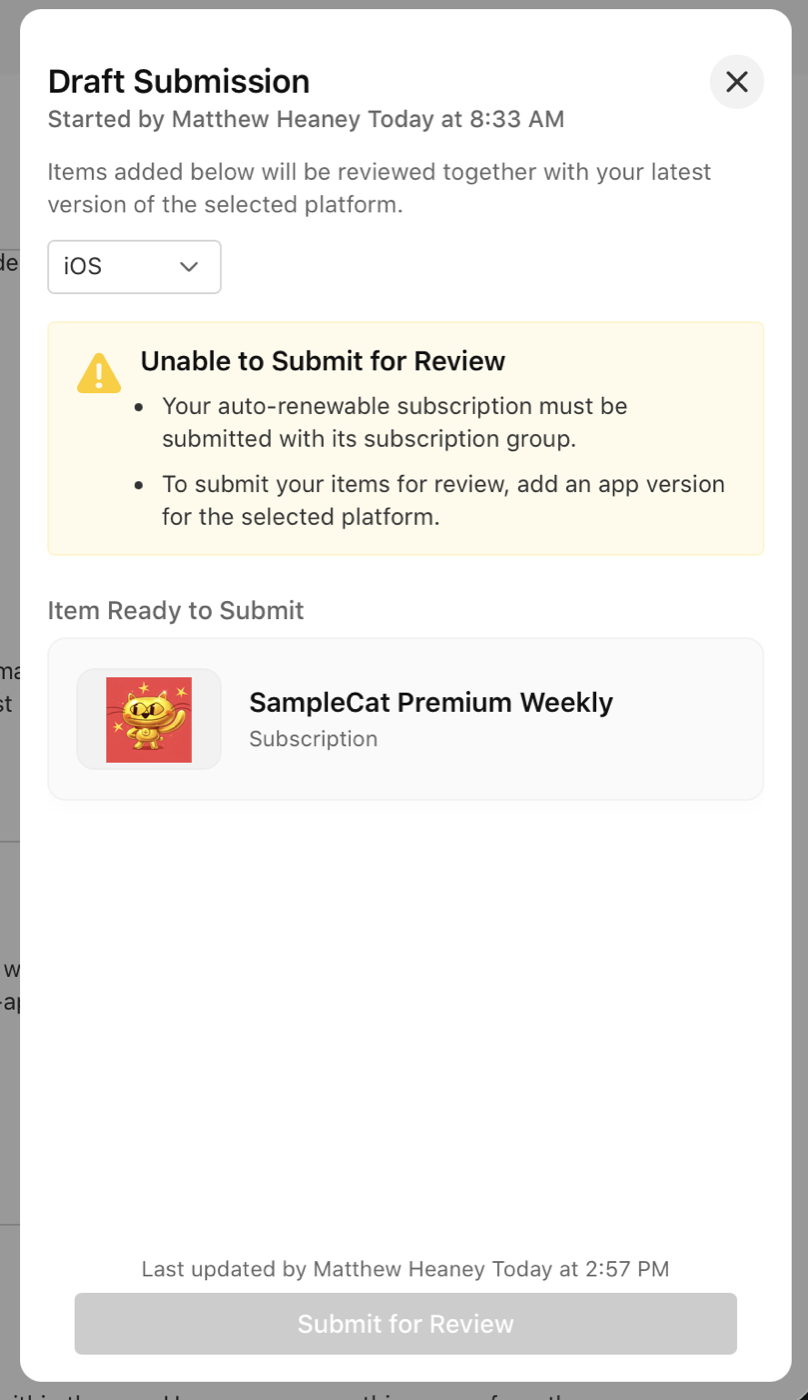
Step 2: add the subscription group
A new subscription must go with its group, otherwise Apple refuses the draft:
Go back to Subscriptions, open the group (Bloxks names it after your app), then Add for Review, into the same draft.
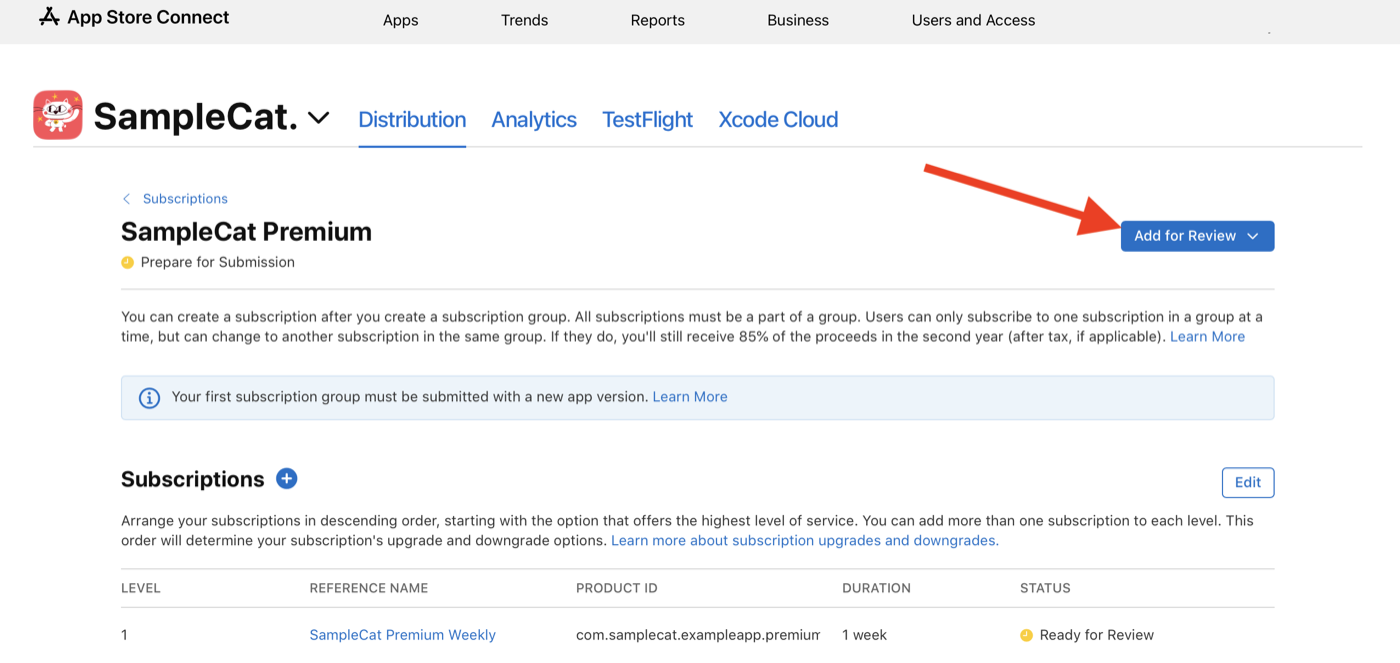
Step 3: add your app version
In the left column, open your app’s iOS version (for example 1.0 Prepare for Submission), then Add for Review, into the same draft. The build Bloxks uploaded is already selected.
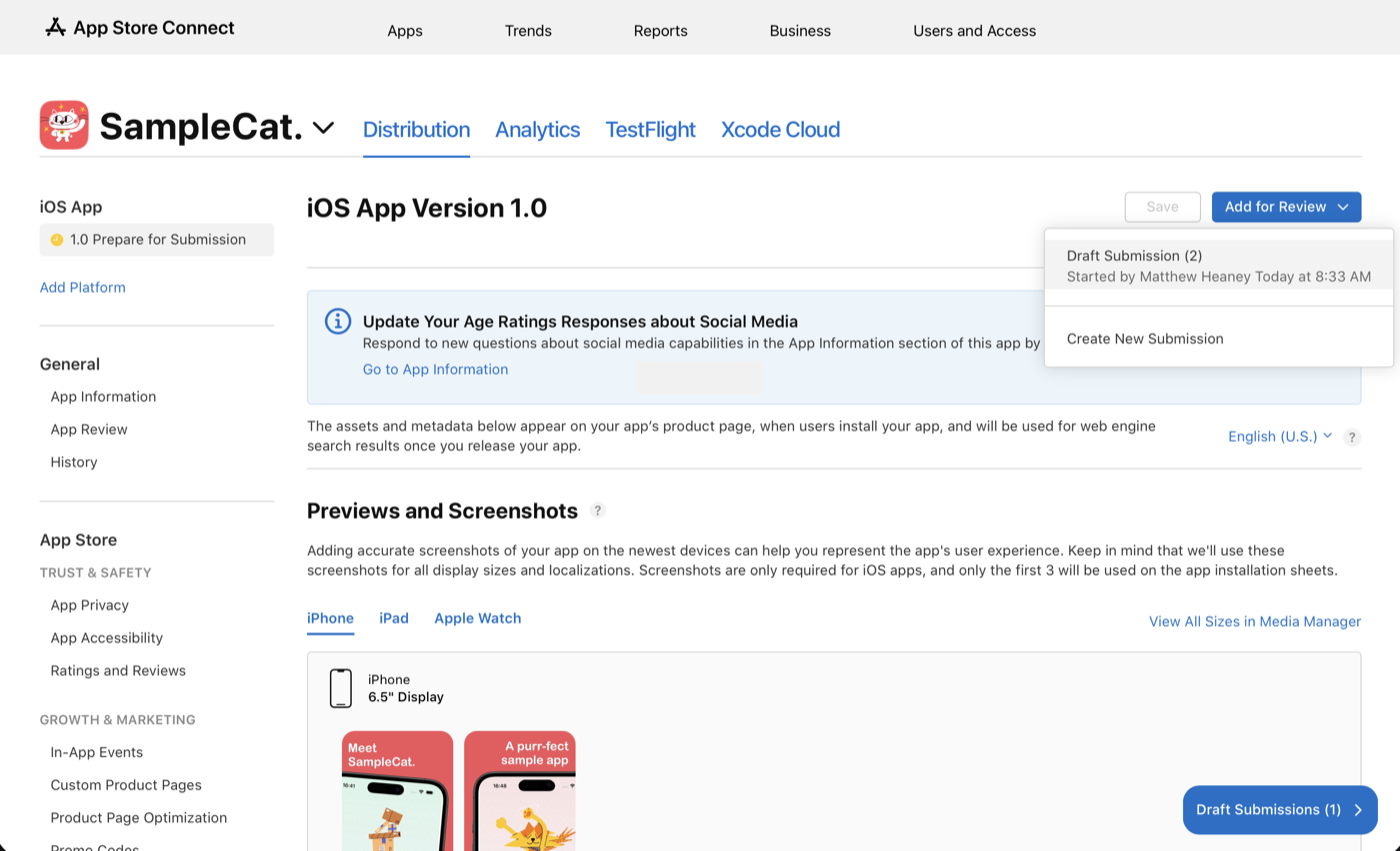
Step 4: submit to Apple
Open the draft (Draft Submissions button, bottom right). It must contain your app version, your subscriptions and their group. Click Submit for Review.
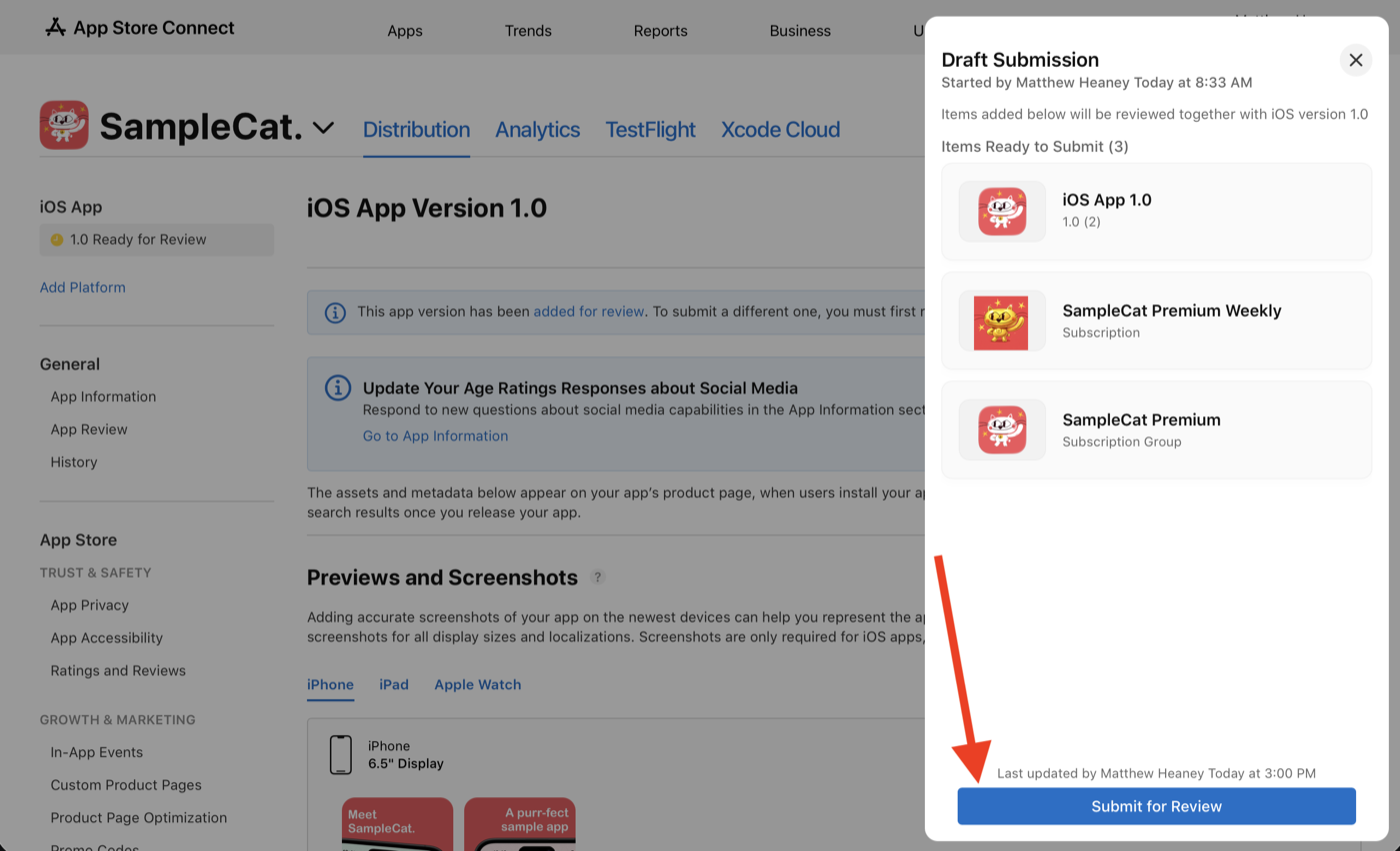
Everything moves to Waiting for Review. You will receive Apple’s answer by email, usually within 24 to 48 hours.
Good to know
- Do not relaunch the publication from Bloxks in the meantime: your app would be sent a second time for nothing.
- A subscription stuck in Missing Metadata cannot be added: reopen the Paywall tab in Bloxks and publish again, Bloxks fills in what is missing.
- Also check that the Paid Apps agreement is active (Business in App Store Connect): without it, Apple’s reviewer sees an empty paywall.
Source: RevenueCat’s official guide, where the screenshots on this page come from.