
Consent and Apple tracking
GDPR consent and Apple’s tracking question: what your users see, the message to publish once in AdMob, and the Ad privacy row.
In many countries, an app must ask permission before showing personalised ads. Bloxks builds these questions into your app. On your side, one setting to do once in AdMob.
What your users see
At the first launch of your published app, in this order:
Google’s consent form, only where the law requires it: the European Economic Area, the United Kingdom, Switzerland and some US states. The user accepts, refuses, or chooses purpose by purpose.
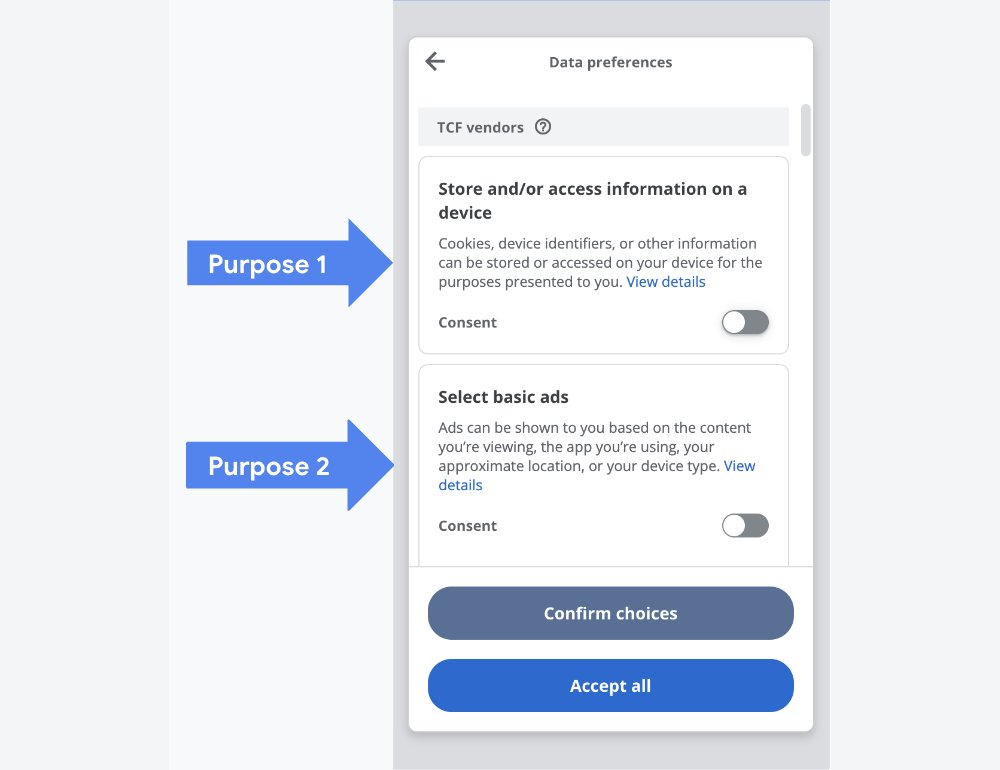
Source: Google for Developers (CC BY 4.0)
On iPhone, Apple’s question: "Allow this app to track your activity across other companies’ apps and websites?" Apple asks it only once per installation.
Then the ads start.
A user who refuses tracking still sees ads, just less targeted ones, which usually earn a little less. You have nothing to do for these steps: Bloxks adds them to your app.
Publish your consent message in AdMob
Google’s form shows the message you create in AdMob. Without a published message, users in Europe may see no ads at all. It takes 5 minutes, and one message can cover all your apps.
- In AdMob, open Privacy & messaging.
- On the European regulations card, click Create.
- Select your apps, iOS and Android. Add your app’s privacy policy link when AdMob asks for it: use the one from your store listing.
- Keep the suggested languages and settings, then click Publish.
- Optional: do the same with US state regulations if you have users in the United States.
Done when your message shows as Published in Privacy & messaging.
The Ad privacy row
Google requires your users to be able to change their choice at any time. Bloxks adds an Ad privacy row to your app’s settings screen: it opens Google’s form again. This row only appears where consent applies, so you won’t see it in the preview, nor on a phone outside those regions.
Official guides: About European regulations messages, Create a European regulations message.